
Bounces, complaints and suppressions
A suppression prevents sending to an address in your organization. It does not block that address in another customer's organization.
| Reason | Effect |
|---|---|
| Permanent bounce | Hedvi blocks the address for 90 days. A separate provider suppression can still prevent delivery until reviewed and removed. |
| Spam complaint | Address suppressed without automatic expiry. |
| Manual suppression | Remains active until an authorized administrator removes it. |
Open Settings → Suppressions to inspect the address, reason and creation time. Add an address there when a recipient asks you to stop. For a removal, record a reason and ensure that the underlying problem has been fixed. Complaint suppressions require operator review. Contact support with evidence of a correction before requesting removal.
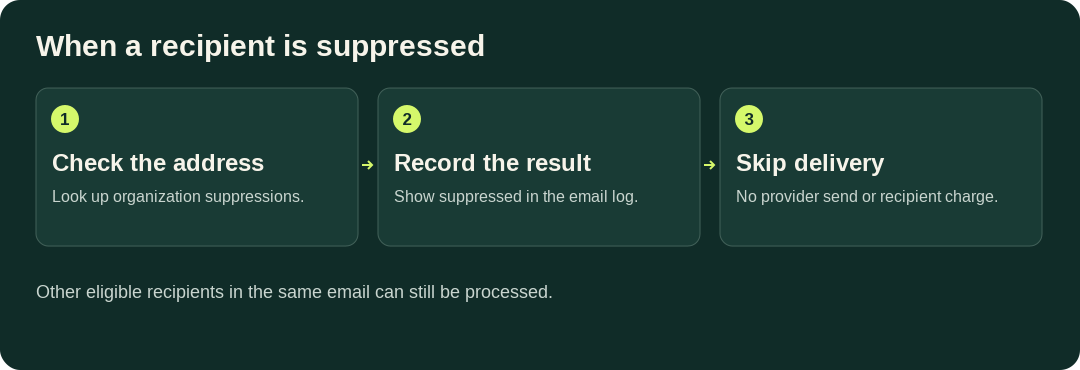
A request containing a suppressed recipient remains visible in email logs, with status suppressed. It creates no provider send attempt for that recipient and consumes no sending quota. Other valid recipients in the same message can still be processed.
Move from another provider
Carry your existing suppression list across before sending through Hedvi. Bulk import/export is not available in the dashboard. Add required entries individually for a small migration, or contact support before migrating a larger list. Do not bypass an old provider's suppressions by switching providers.
Automatic pauses
A project can be paused for elevated bounce or complaint rates. Read the reason in Settings and contact support with your project ID, sending use case and corrective action. Queued jobs are held; creating a new key does not bypass the pause.