
Reset a password and recover access
Use the mailbox associated with your Hedvi account. If an existing account needs email verification, the same recovery flow verifies your address.
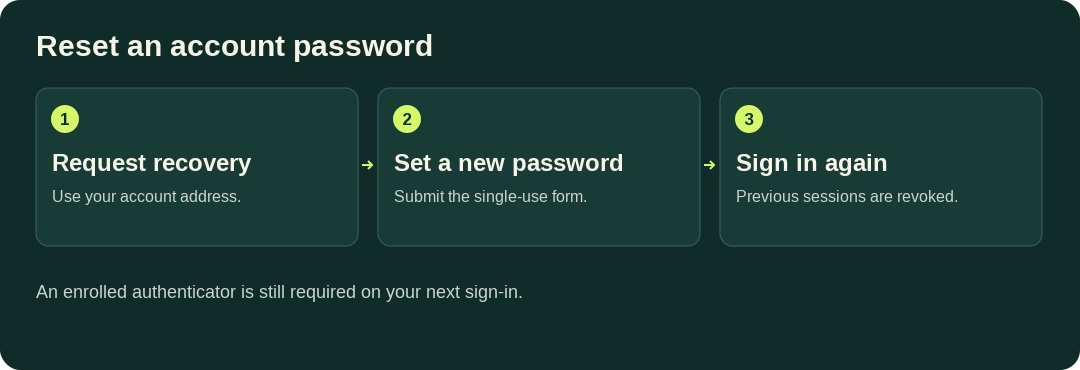
- From Sign in, choose Forgot your password or need to verify your email?. Enter the account address and select Send link.
- Check your inbox and spam folder. Open the reset link within 30 minutes of the request. A request confirmation appears for every address to protect account privacy.
- Choose and confirm a new password of at least 12 characters and select Change password. The password changes when you submit the form.
- Sign in with the new password and your six-digit authenticator code if MFA is enabled. If prompted, review the current legal documents to reopen the project dashboard.
Missing, expired or already used links
Check the address you submitted. Request a fresh link if the previous one expired or the browser lost the link after a refresh. Wait at least a minute between requests. An account-exists email directs an existing user to recovery.
If you lose your authenticator or access to the mailbox, contact hej@stackx.se for an ownership review. Keep passwords, authenticator setup keys, recovery links and API keys private.