
API keys and rotation
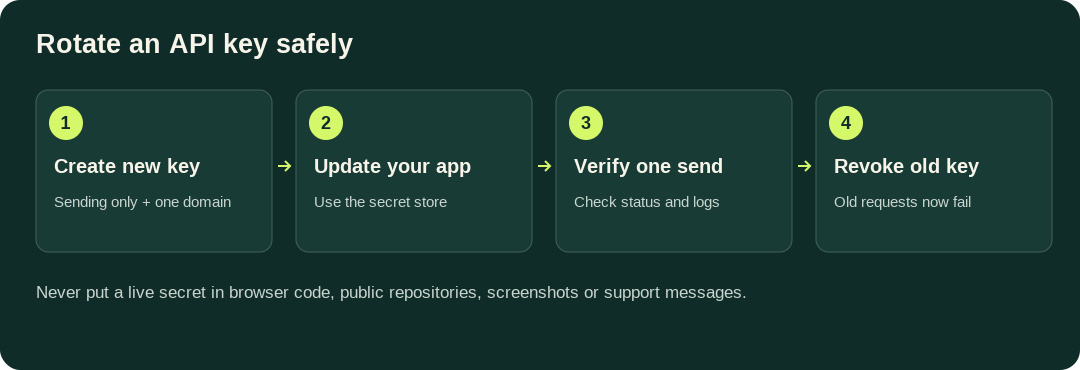
API keys belong to a project. Use a separate key for each application and environment so you can revoke one integration without affecting the others.
- Open Developers → API keys.
- Give the key a name that identifies the server or integration.
- Choose Test to capture messages or Live to request real delivery.
- Choose Sending only for a service that only sends mail. Choose Full access only if it must read messages or manage domains.
- For a live sending service, select its domain instead of Any verified when possible.
- Choose Create key and copy the full secret immediately into your server's secret store. It is shown once.
curl https://api.hedvi.dev/emails \
  -H "Authorization: Bearer $HEDVI_API_KEY" \
  -H "Content-Type: application/json" \
  -d '{"from":"app@example.com","to":"you@example.com","subject":"Hello","text":"Hello from Hedvi"}'
The hv_test_ or hv_live_ prefix helps you recognize a key. Changing the text of a prefix never changes its permissions. A live key also needs an active project and verified sending domain. Sending activates automatically after the domain checks pass and your organization has accepted the current terms.
Revoke a compromised key
Open Developers, find the key and choose Revoke. Confirm the warning. New requests using that key fail immediately; already accepted jobs remain queued. Contact support to pause the project if those jobs must also be held. Check recent activity and replace the key in every affected deployment.
Never expose a live key through browser JavaScript, mobile application bundles, a public repository or a screenshot. Use your backend to call Hedvi.