
Buy credits and manage a subscription
Open Settings → Billing in a project. Purchases and allowances apply to its entire organization. Owners, admins and billing members can use hosted billing when the operator has enabled it.
| Plan | Price before VAT | Recipient and attachment allowance |
|---|---|---|
| Free | Free | 5,000 recipients and 100 MiB each UTC calendar month |
| Flex | 39 SEK or $4 once | 10,000 recipients and 250 MiB for 365 days from payment |
| Pro 50k | 129 SEK or $13 monthly | 50,000 recipients and 1 GiB each paid invoice cycle |
| Pro 100k | 249 SEK or $25 monthly | 100,000 recipients and 2 GiB each paid invoice cycle |
Buy through Checkout
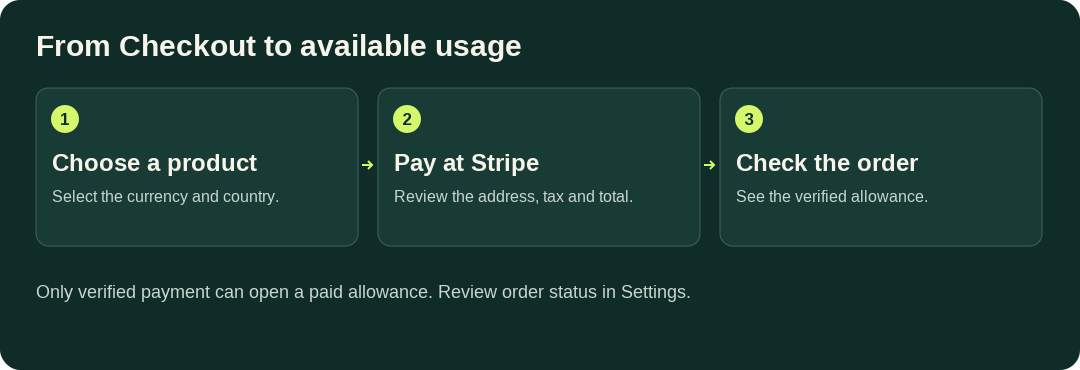
- Choose the product and currency, then enter the company name and full billing address in Hedvi. The first checkout fixes the organization's billing currency and invoice address.
- Select Continue to Stripe Checkout. Check the company details, enter any applicable tax ID and payment method, inspect the total and terms, then confirm payment on Stripe. Payment-method details do not change the saved company invoice address.
- Read the return page or reopen Settings → Billing → Recent purchases. An order may show Awaiting confirmation or Payment pending while Stripe and Hedvi reconcile it. Check the existing order before starting another purchase.
- Check the available recipients, attachment allowance and credit expiry under Usage and cost control. Sender-domain verification, automatic sending activation and hourly or daily sending limits still apply.
Use Flex alongside Free or Pro
A first Flex purchase moves a Free organization to prepaid usage. To use Free again, choose Use Free monthly allowance outside Pro cycles. To spend existing packs after the Free or Pro allowance runs out, enable Use Flex credits when monthly quota is used up. Packs with the earliest expiry are spent first. Sending stops when no eligible units remain.
Invoices, renewals and cancellation
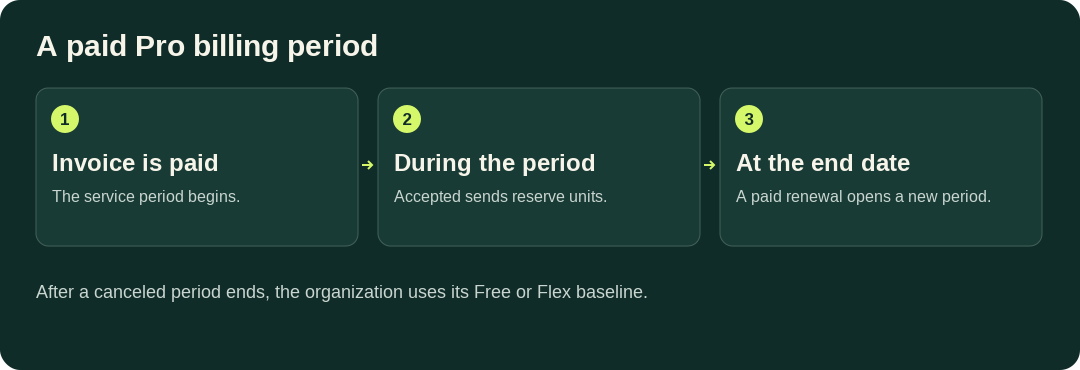
- Choose Manage payment method, invoices or cancellation to open Stripe's customer portal. Use invoice history for receipts and payment methods to update your card.
- Cancel a Pro subscription in the portal to stop its next renewal. Check the scheduled cancellation and paid-through dates in Hedvi. The current paid interval remains available until it ends.
- To change Pro tiers, cancel at period end and buy the new tier after the old subscription ends. An unpaid renewal grants no new Pro allowance. Update the payment method and check the invoice status.
Refunds, disputes and payment review
A full refund or lost dispute removes remaining spending from that payment. A partial refund, credit note or unresolved dispute can put it under review. Existing send reservations settle against their original allowance. A winning dispute or a canceled refund can restore an eligible balance after verification.
If Stripe charged the card but the order remains under review, contact hej@stackx.se with your organization, order or invoice reference and payment date. Include the country or currency discrepancy if relevant. Keep card numbers, portal links and API keys private. Read the service terms and privacy notice for contract and data-handling details.